
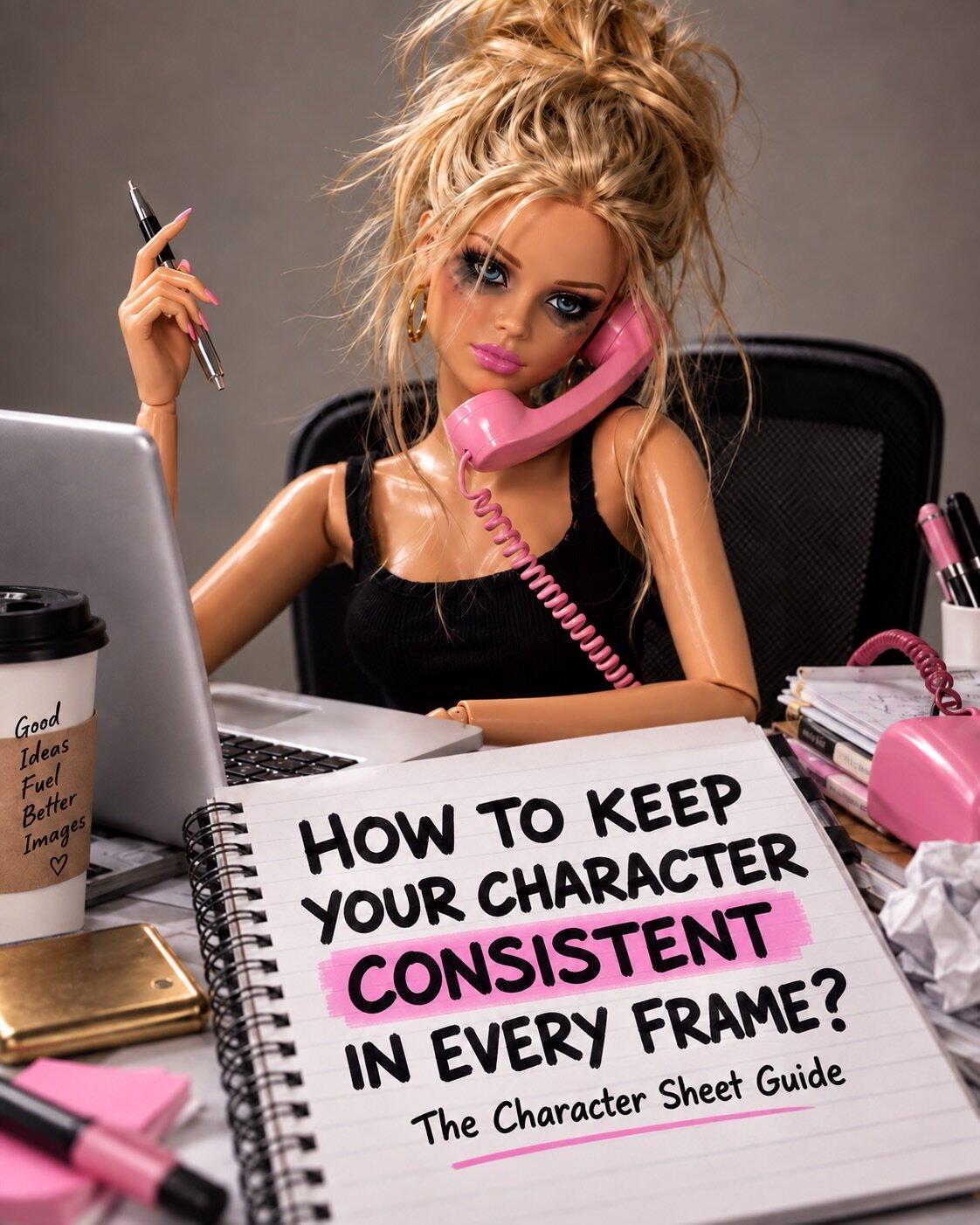
Consistency is the whole game.
Anyone can generate one good-looking character shot. The hard part — the thing that separates a real channel from a pile of clips — is the SAME character showing up, unchanged, in shot after shot. A continuity sheet is how studios solve it: instead of re-describing your character every time and hoping, you generate one dense reference board that pins down their face, body proportions, full turnaround, expressions, poses, costume details and exact colour codes. Then that single board becomes the reference image you feed every future generation. Same face front and back, same outfit, same palette — locked.
Why one board beats a paragraph
A written description leaves a thousand tiny decisions to the model, and it re-decides them differently every time — that's the drift you see. A reference board makes those decisions once, visually, and hands the model an answer instead of a question. You build it once per character and reuse it forever.
Four steps, start to scroll-stopper.
Pick one clean reference
One clear image of your character — a single frame is enough. This is the only input the board is built from.
Run the shared prompt
Paste the continuity-sheet prompt with your image in GPT Image or Nano Banana to generate the 4:5 board.
Append the character lock
Add a short character-specific block (identity locks + HEX palette) so nothing gets beautified or redesigned.
Reuse the board everywhere
Feed the finished board as the reference image into every future shot and video model — same character, every time.
Six characters, one method
These are six real continuity sheets, each built from a single reference image with the exact prompt below. Different ages, styles and looks — but every one is locked the same way: identity, proportions, costume and colours pinned so the character can't drift. Use them as the pattern for your own cast.
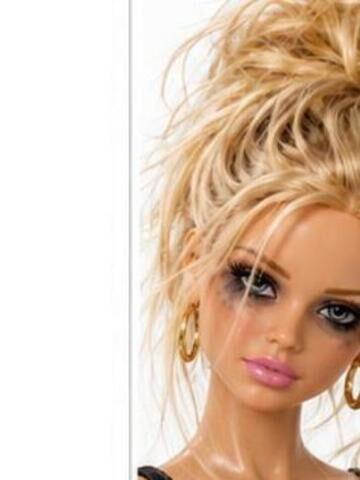
Office Blonde
Adult · fashion dollAdult articulated fashion doll — tan glossy vinyl skin, blonde messy high bun, blue-gray almond eyes, smoky makeup, glossy pink lips, large gold hoops, fitted black sleeveless top. Lower outfit inferred as black tailored trousers + black pumps.
Stylish · world-weary · edgy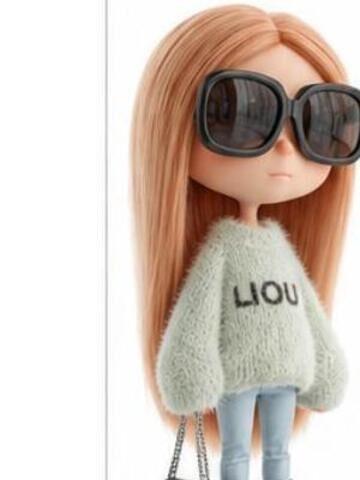
Peach Streetwear
Child / pre-teen · stylizedOversized-head small-body fashion character — very long straight peach/strawberry-blonde center-parted hair, oversized square black sunglasses (eyes always concealed), pale sage fuzzy 'LIOU' sweater, light-blue skinny jeans, black chunky lace-up boots, chain-strap handbag.
Cool · calm · confident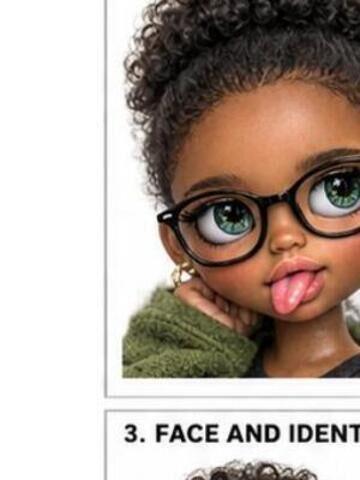
Curly Glasses
Child · main characterYouthful stylized doll — medium-brown skin, very large green-teal eyes, thick glossy black rectangular glasses, black tightly curly hair in a high puff, gold small hoops, olive fuzzy cardigan over a charcoal crew-neck, tongue-out reference expression.
Playful · cheeky · spirited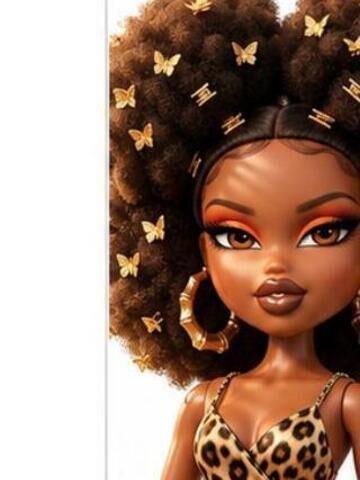
Golden Butterflies
Adult · fashion / lifestyleAdult articulated fashion doll — deep warm-brown glossy vinyl skin, huge dark-brown afro in two volumes with tiny gold butterfly ornaments, large gold bamboo hoops, leopard-print wrap mini dress, tall gold gladiator heels.
Confident · stylish · bold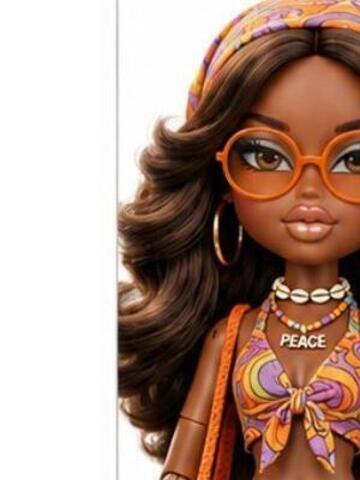
Retro Peace
Adult · free-spirited iconAdult articulated doll — deep warm-brown skin, very long voluminous center-parted feathered waves, orange oversized round glasses, patterned 70s headscarf, psychedelic front-tie crop top and flared trousers, platform sandals, cowrie + gold 'PEACE' necklace.
Cool · independent · laid-back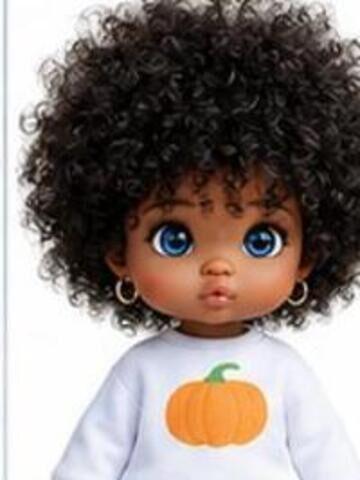
Pumpkin Curls
Toddler · main characterToddler baby doll — warm-brown skin, very round cheeks, huge bright-blue eyes, tiny pursed lips, enormous fluffy black curly afro, small gold hoops, white sweatshirt with a large orange-pumpkin graphic, blue denim shorts, white sneakers with orange laces.
Curious · sweet · playfulName and height stay UNSPECIFIED
Notice the profile leaves name and height blank and infers personality from expression only. That's deliberate — you want the board to lock what the character LOOKS like, not invent a backstory the model then tries to 'improve'. The less you let it decide, the less it drifts.
Append the character lock
The shared prompt builds the board; a short character-specific block keeps the model from redesigning or beautifying your character. It's three parts — a character ID, the identity locks (the details that must never change), and the sampled HEX palette. Here's the real append we used for the Golden Butterflies board.
| Frame | What we see | Prompt focus |
|---|---|---|
| CHARACTER ID | A one-line name for the character so every panel refers to the same person. | Keep it short and literal — 'Golden Butterflies', not a backstory. |
| IDENTITY LOCKS | The specific, non-negotiable details: skin, eyes, hair, signature accessories, outfit, footwear. | List what must be preserved and what to exclude ('No jungle'). Over-specify the signature items. |
| PALETTE | 4–6 sampled HEX codes for skin, hair, clothing and accents. | HEX codes stop the colours drifting warmer/cooler between generations. |
Paste this straight after the shared prompt, swapping the details for your own character:
The shared continuity-sheet prompt
This is the reusable core — the one prompt that turns a single reference image into a full 4:5 board. Run it in GPT Image or Nano Banana with your character image attached; the numbered sections below are exactly what the board will contain.
| Time | Beat |
|---|---|
| 01 | Character profile — neutral ID, role, age category (name & height left unspecified). |
| 02 | Full-body turnaround — front, three-quarter, side, back, identical outfit. |
| 03 | Face and identity — three head closeups (front, profile, three-quarter). |
| 04 | Expressions — eight labeled face studies (neutral → determined). |
| 05 | Pose and body language — six full-body studies (standing → ready). |
| 06 | Costume details — crop insets of clothing, footwear, signature accessories. |
| 07 | Colour and material — 4–6 swatches with HEX codes and material labels. |
| 08 | Do not change — the identity-lock text that keeps the character itself. |
🧩 The shared continuity-sheet prompt
Copy this once and keep it — it works for any character. Attach one reference image, run it, then paste your character append (from step 2) underneath.
Turn your next idea into a channel people share
- ✓The full course to help you turn an idea into an AI cartoon, from prompts and storyboards to animated scenes.
- ✓Weekly guides & prompts from cartoons with 1M+ views
- ✓A private community to share your cartoons and ask questions
Every week, get a new guide and prompts behind a cartoon that received over 1 million views on our AI Toon Studio channel. See what worked, follow the breakdown, and adapt it to your own stories. Founding pricing at $49/month.
Get the full course →Not ready to buy? Join the community free → for sample lessons.
Put the board to work
A continuity sheet isn't the deliverable — it's the tool. Once you have it, it becomes the reference image behind every shot you make of that character.
Use it as your reference image
Feed the finished board (or a cropped panel) as the image reference into every new generation — image or video. The model now copies a fixed character instead of re-inventing one, which is what keeps the face and outfit steady from clip to clip.
Carry it across models
The same board works as a reference in whatever you animate with — Seedance, Kling, Veo, Runway. Build the character once, reuse it everywhere, and your look stays consistent even as you switch tools.
Build a cast library
Save one board per character. A recurring cast is what turns scattered clips into a channel people recognize and follow — the characters become the brand.
Preserve, don't beautify
The single most important instruction is 'preserve the EXACT style, identity and proportions; do not redesign or beautify.' Left to its own devices the model will smooth features, change proportions and 'upgrade' the outfit — which is drift. Keep that line, and keep your HEX palette, on every generation.
Post it as a collab
Made a video with this? Add @ai.toon.studio_ as a collaborator when you post — we share it to our followers, and you get the reach. 🎬
9.1M views · 6 Sep 2026 — a creator built a series in this format. See who's making these →
Before you hit publish
- ✓Built from ONE clean reference image of the character
- ✓Output is a single 4:5 portrait board with all eight sections
- ✓Full turnaround shows the SAME character front, three-quarter, side and back
- ✓Face, proportions and outfit are identical across every panel
- ✓Costume details and 4–6 HEX swatches are included and readable
- ✓A 'do not change / preserve, don't beautify' identity-lock line is present
- ✓Board saved and reused as the reference image for future shots
Questions creators ask
What is a character continuity sheet?
It's a single dense reference board — built from one image — that documents a character from every angle: a full turnaround, face closeups, expressions, poses, costume detail crops and a colour palette with HEX codes. You generate it once per character and then use it as the reference image for every future shot, so the character stays identical instead of drifting between clips.
Which tools can generate the board?
Any image model that accepts a reference image and can lay out a structured board — we use GPT Image and Nano Banana. You attach one clean image of your character, paste the shared prompt, add the character append, and it returns the 4:5 board.
How do I actually use the board after I make it?
Feed it back in as the image reference for new generations — both stills and video. Because the model is now copying a fixed sheet rather than re-interpreting a text description, the face, proportions, outfit and colours stay consistent from shot to shot and across different video models.
Why leave name and height UNSPECIFIED?
The board's job is to lock what the character looks like, not to invent a backstory. Leaving name and height blank (and inferring personality from expression only) stops the model from adding details it will then keep changing — less invention means less drift.
Do I need the HEX codes?
Yes — they're what stop the palette sliding warmer or cooler between generations. Sample 4–6 colours from your reference (skin, hair, main garment, accents) and keep them in the append every time.
The tools we actually use
You can build every board here with a short stack — an image model that takes a reference (GPT Image or Nano Banana) for the sheet, then whatever you animate with. We've linked the exact tools.

Higgsfield
Our #1 pick · animationAnimate your reference images and explore camera moves for your story.
Try Higgsfield →
Seedance 2.0
Image-to-videoTurn reference images and a written prompt into a video. Use it to build the animated scenes in your story.
Try Seedance 2.0 →
Nano Banana
Character imagesCreate clear reference images for Office Blonde, Peach Streetwear, Curly Glasses to help characters look consistent across scenes.
Try Nano Banana →
ElevenLabs SFX
Cartoon soundGenerate the bzzzt · snip · click · spa "ahhh" cartoon SFX that carry the comedy — no dialogue needed.
Try ElevenLabs SFX →Some links above are affiliate links. If you sign up through them we may earn a commission, at no extra cost to you. We only recommend tools we actually use to make our toons.
Keep going
Join the free community
Get selected sample lessons, share what you're making, and create alongside other creators — free, no card required. Upgrade to the full Playbook course whenever you're ready.
Join free