
Reference Image Guides
Turn one photo into a dense multi-panel production board with GPT Image 2 — a rulebook that keeps any subject on-model across every later generation. 7 board types, built for tactile, handmade, stop-motion looks.
One photo in, a full rulebook out
A reference board is the single biggest unlock for consistency in AI work. You take one photo of a subject — a character, creature, vehicle, prop, dish or puppet — and GPT Image 2 turns it into a dense multi-panel production sheet: every angle, a set of expressions or variants, detail macros, lighting moods, and a locked colour palette.
That board becomes a rulebook you hand back to the AI. Generate anything afterward and the subject stays on-model — same face, same sculpt, same build, same finish — instead of drifting into a new design every time.
The handmade secret:these boards shine for stop-motion & handmade aesthetics — claymation, needle-felt, sock puppet, cardboard, plasticine food, embroidery. The "NOT digital CG, NOT 3D render" line in each prompt is what keeps the tactile, handmade feel instead of a glossy render.
Match the board to your subject
One photo, one matching prompt. All seven board prompts are free — grab any of them below.
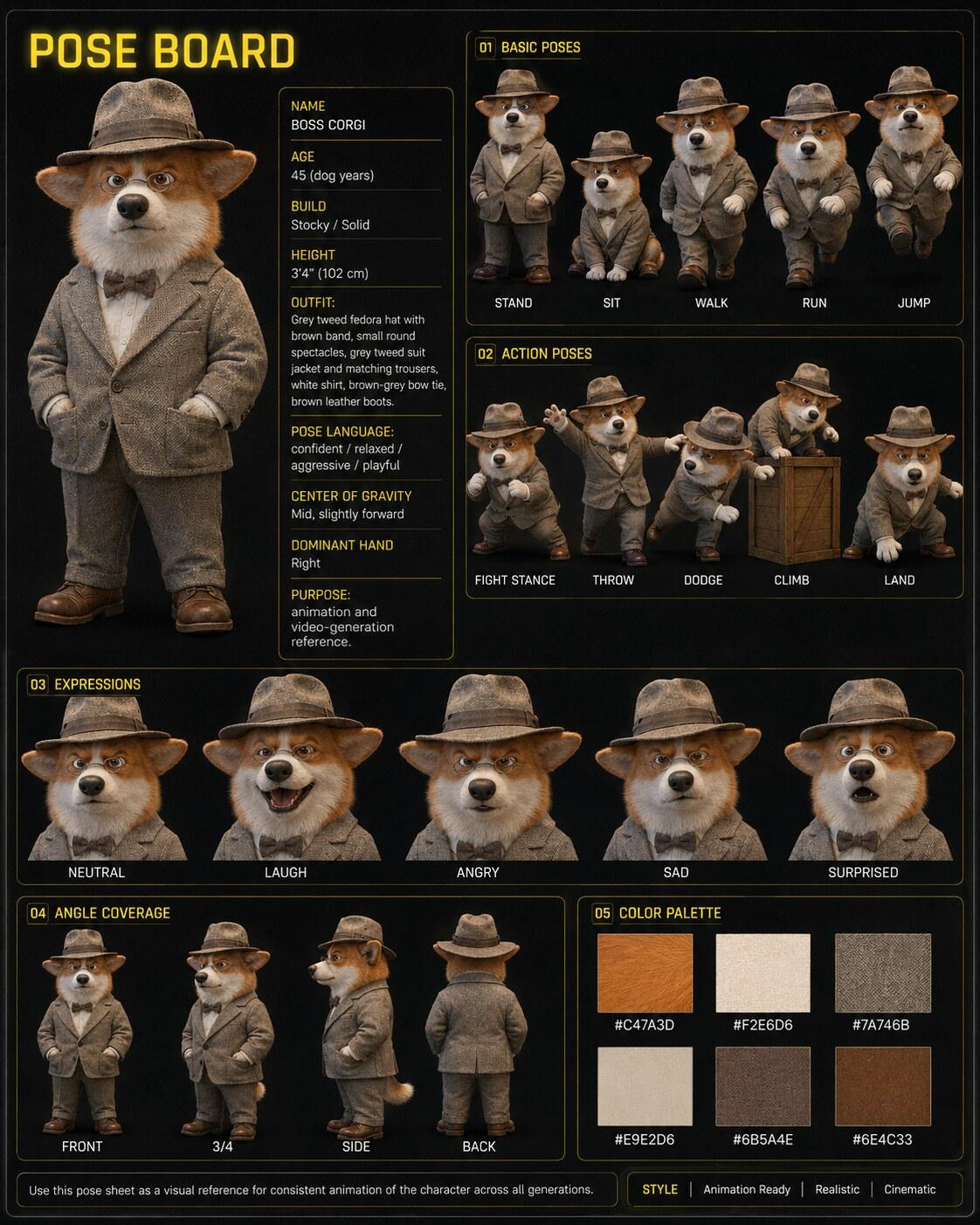
Pose Board
Any character you'll animate — locks poses, action, expressions and angles for video (photoreal).
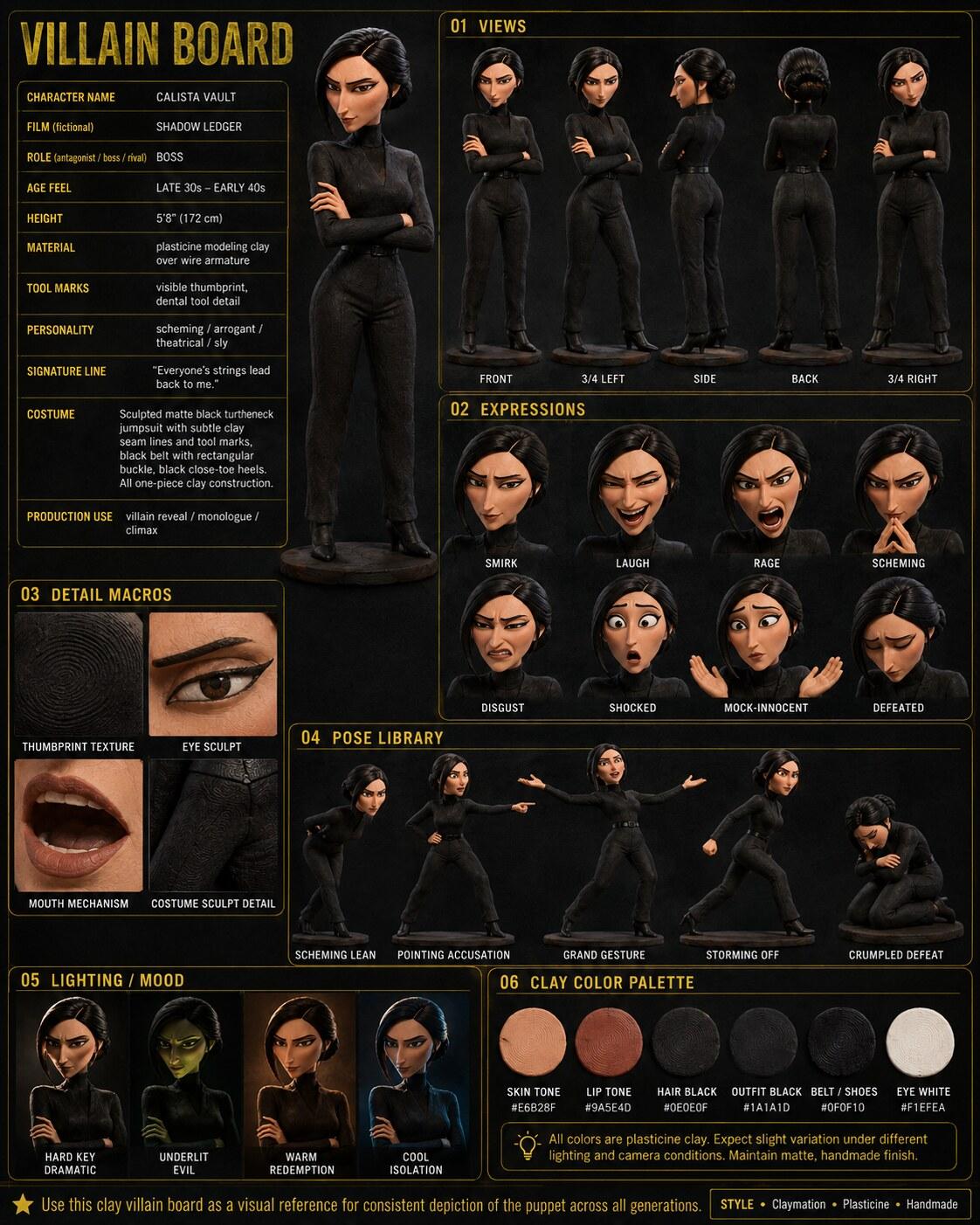
Villain Board
A claymation / plasticine character — locks the sculpt, expressions and pose library.
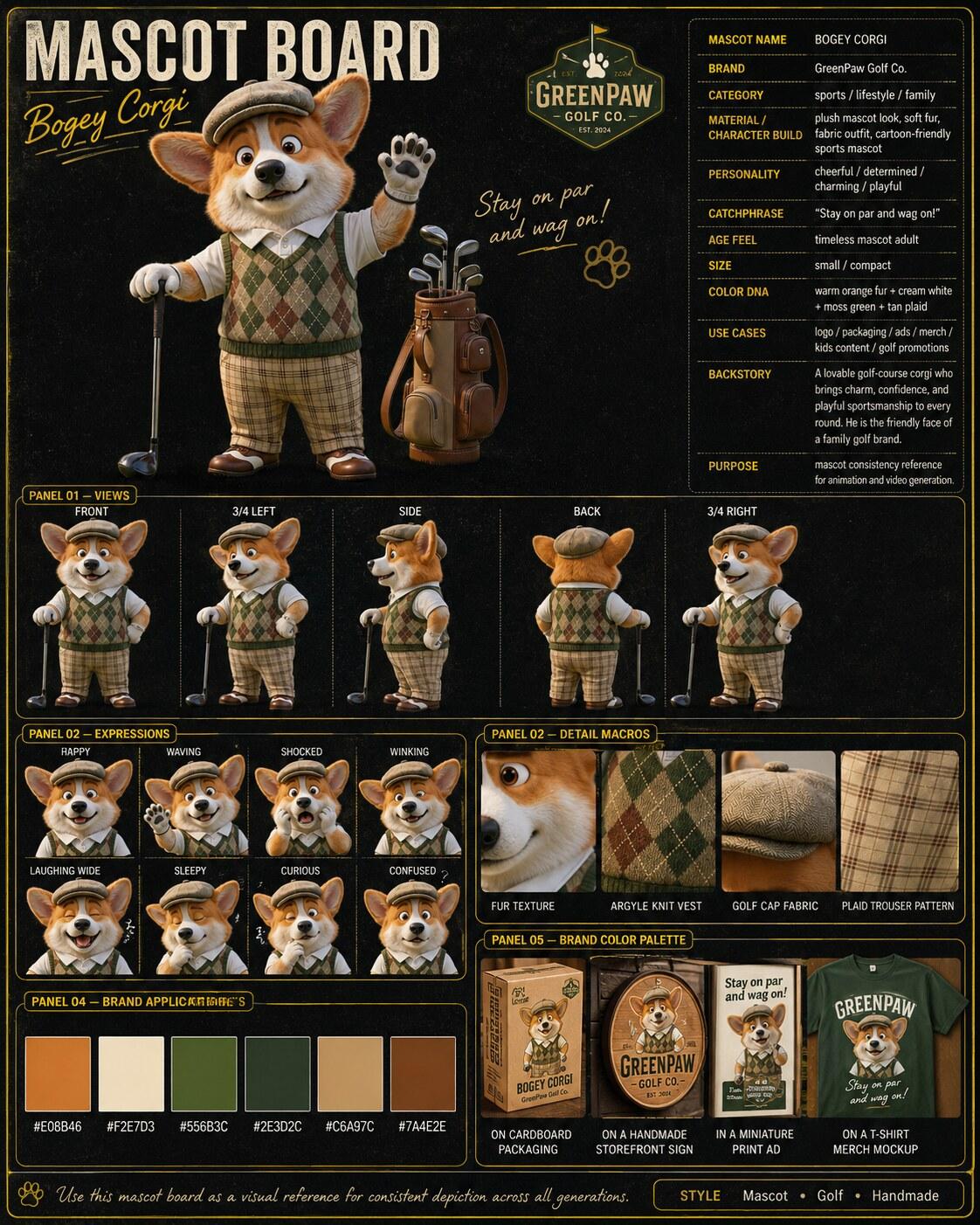
Mascot Board
A sock-puppet brand mascot — locks the puppet plus packaging, signage and merch.
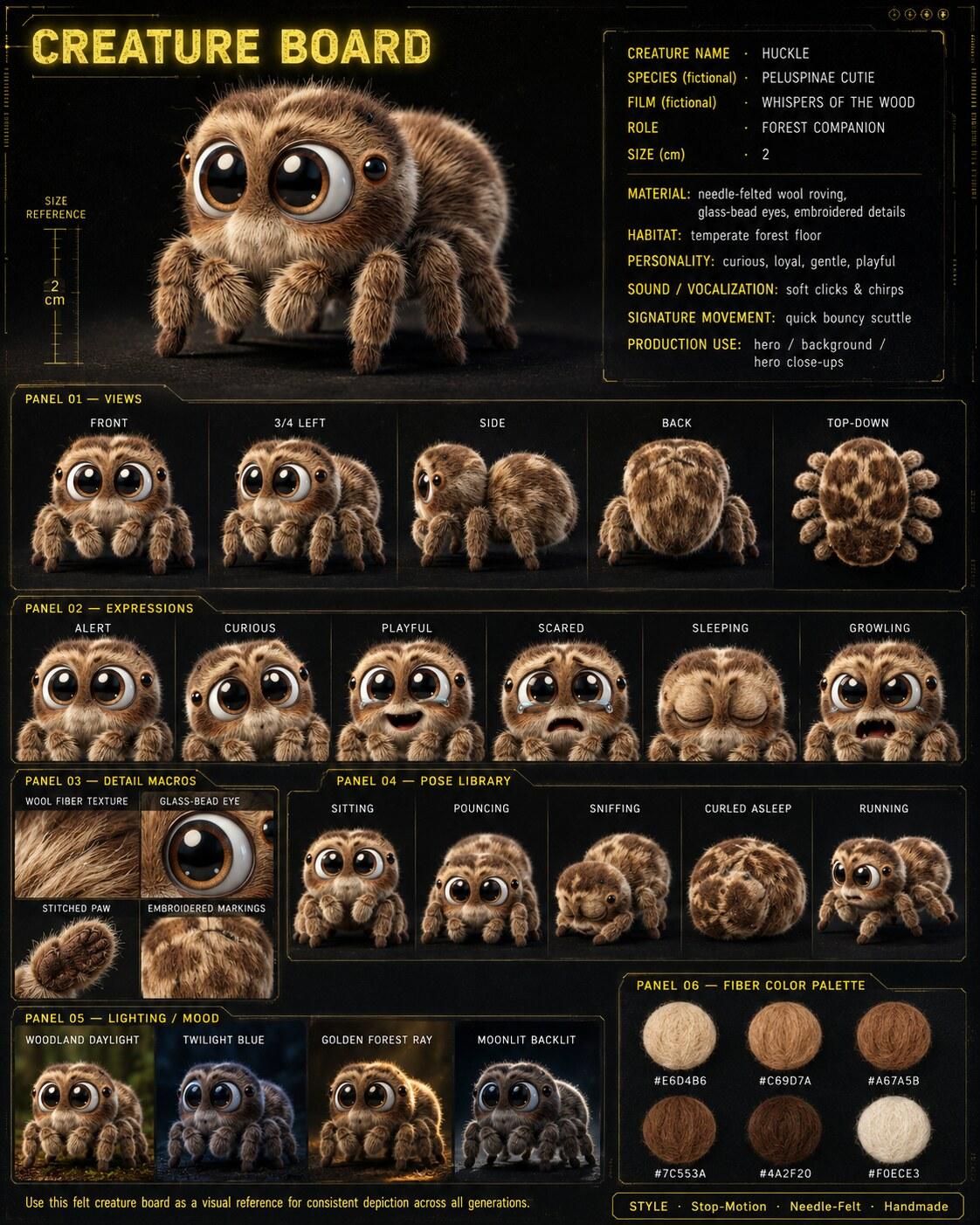
Creature Board
A needle-felted creature — locks fiber texture, expressions and a pose library.
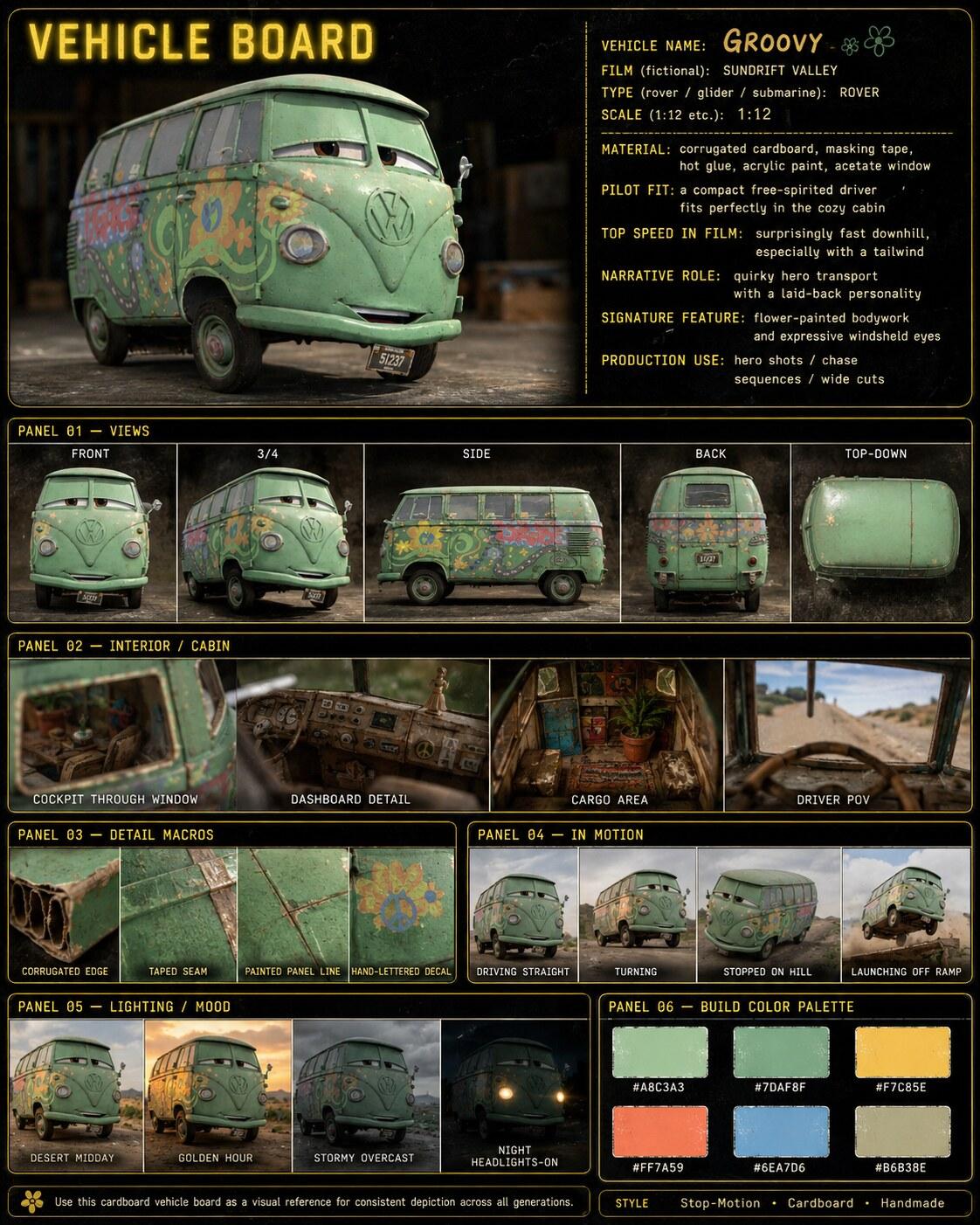
Vehicle Board
A handmade / cardboard vehicle — locks the build, interior and in-motion frames.
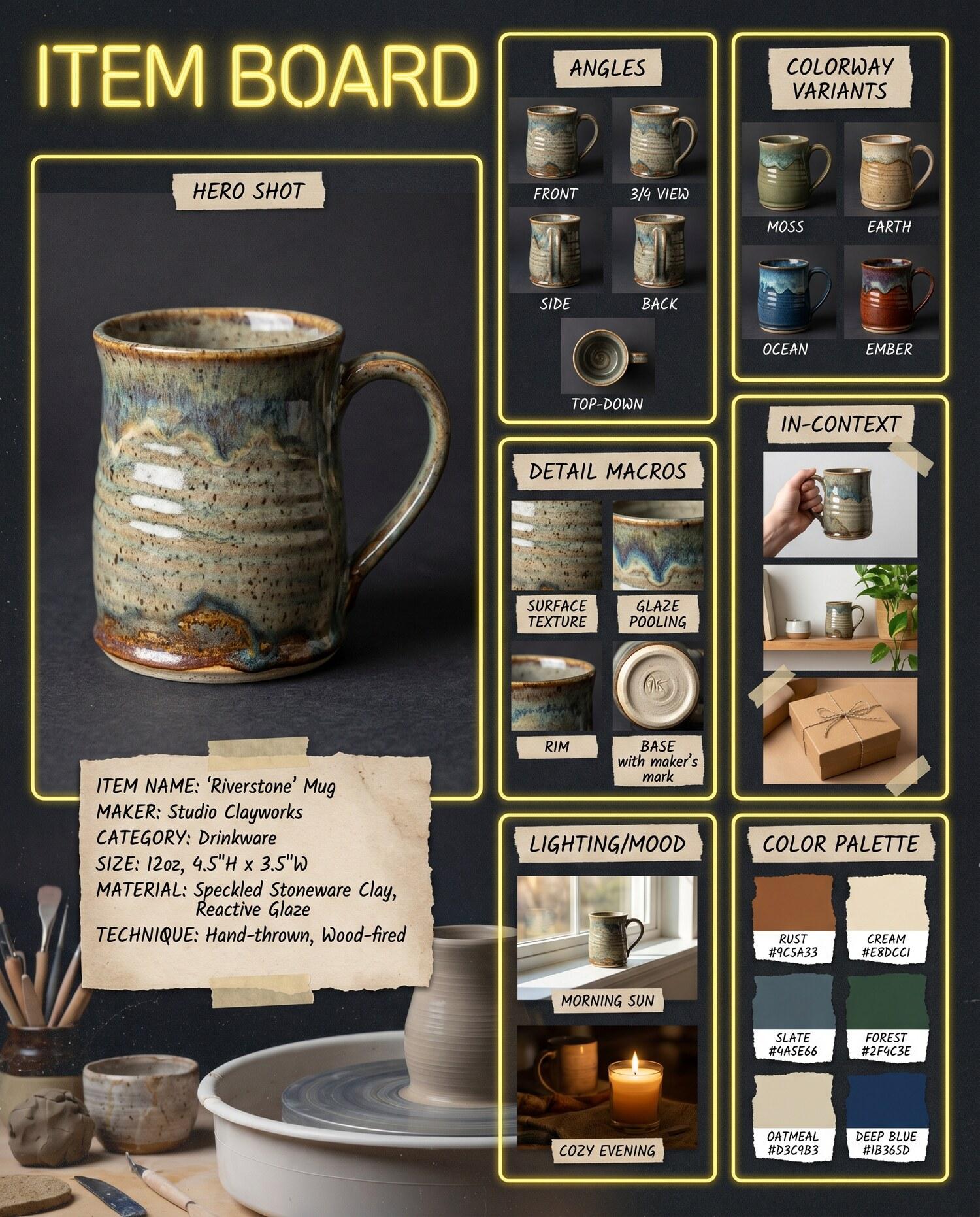
Item Board
Any artisan handmade object — locks material, colorway variants and lifestyle context.
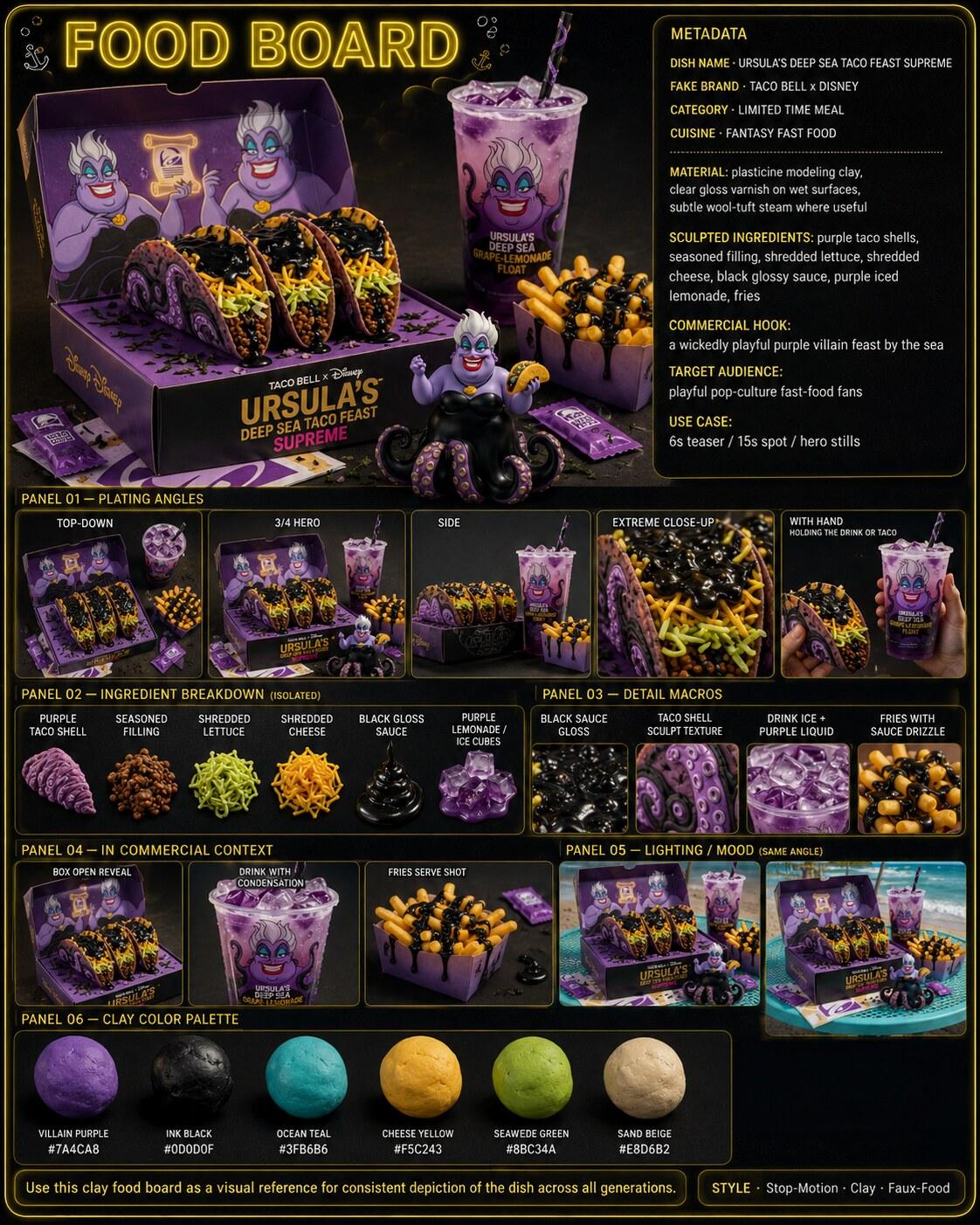
Six panels, one backbone
Five steps, any subject
A single clear shot of your subject — character, handmade build, dish, puppet. Good light and a readable subject give the best board.
Choose the board prompt that fits your subject (Pose, Villain, Mascot, Creature, Vehicle, Item, Food).
Attach the photo, paste the prompt. GPT Image 2 builds the full multi-panel board from that single reference.
Feed the finished board back in as a reference image for every later generation — stills, new poses, or video.
One board per subject, reused across every shot, keeps your characters, props and sets consistent end to end.
Make every board count
- One clean photo is everything. The board is only as consistent as the source — a sharp, well-lit, single-subject photo gives the AI the most to lock onto.
- Keep the "NOT digital CG" line. For handmade boards, that line preserves the tactile look — real clay, wool, sock, cardboard — instead of a glossy 3D render.
- Feed the board back as a reference. Its real job starts after you make it — attach it to every later generation so the subject stays on-model.
- Let each prompt read the metadata from your photo. You don't need to fill in names or specs — the prompt invents fitting ones from your image.
- Match the board to the subject. Pose for characters you'll animate, Item for products, Food for dishes, Creature for animals.
- Build one board per subject. A film with a hero, a villain, a creature and a vehicle needs four boards — then reuse each across every shot.
Beyond the seven
All 7 board prompts — free
Grab any board above — Pose, Villain, Mascot, Creature, Vehicle, Item or Food — and paste it straight into GPT Image 2. Find more prompts and cartoon guides in the prompt library.
Browse the prompt library →Board locked? Now animate it — with Higgsfield
Your reference board keeps the subject on-model. Feed the frames to Higgsfield for cinematic motion and camera moves — the fastest path from a still board to a 15-second drop. And its Earn program pays you per views on what you post.
Affiliate link — if you sign up through it we may earn a commission, at no extra cost to you. We only recommend tools we actually use to make our toons.